
MoveWriter 2.0: Manage Bluetooth Keyboards Directly on Your reMarkable Move
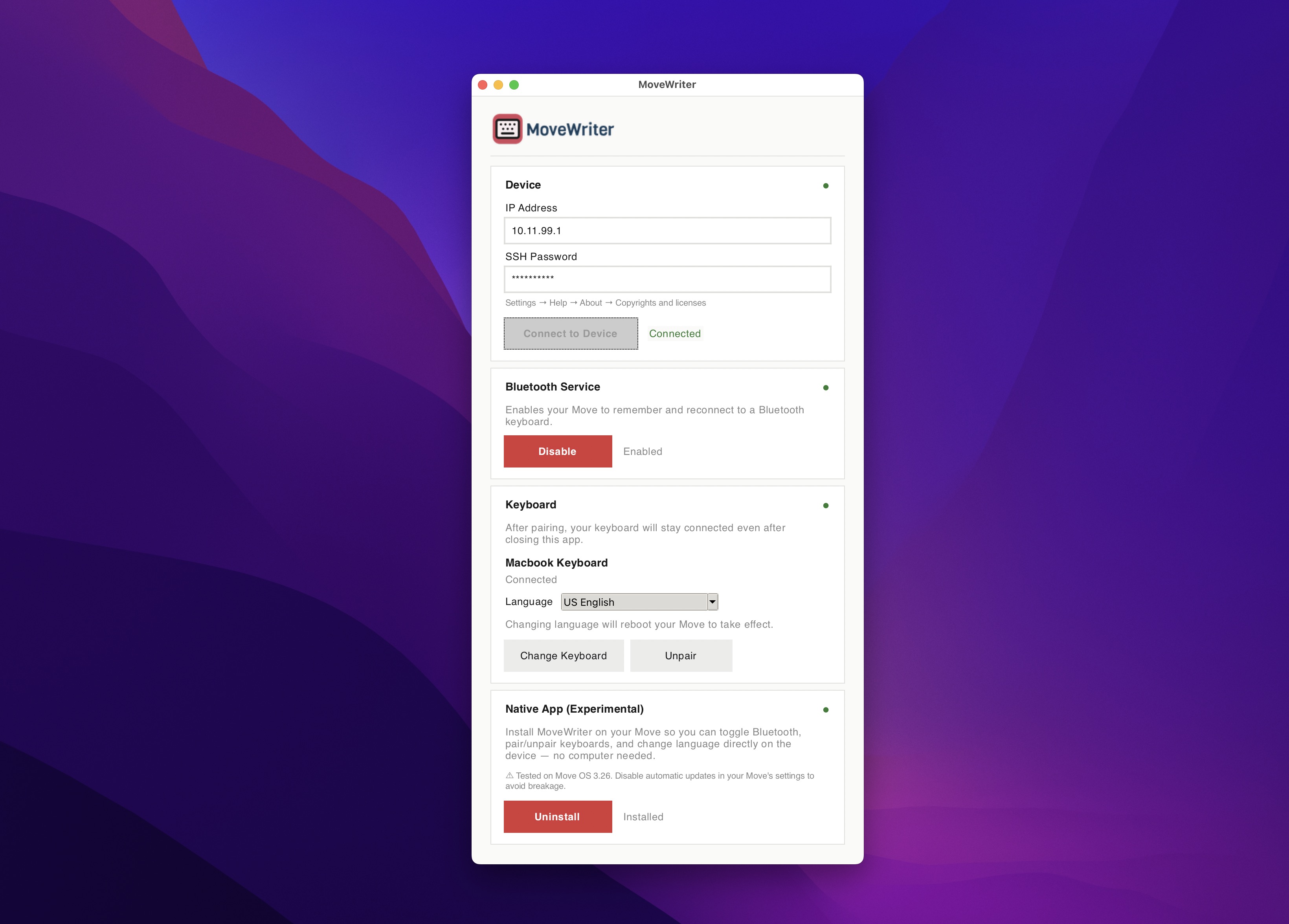
The idea behind MoveWriter is simple: plug your reMarkable Paper Pro Move into your computer once, run the app, pair a keyboard, and walk away. The keyboard stays connected forever, even after reboots. For most people that's been more than enough.
But after the release, I began receiving similar questions:
"I'm traveling without my computer. Can I pair a different keyboard from the Move itself?"
"I want to disable Bluetooth on the road to save battery — can I do that without my computer?"
The desktop app is great for first-time setup, but it shouldn't be required for everyday changes.
So MoveWriter 2.0 can now run directly on your reMarkable Move.
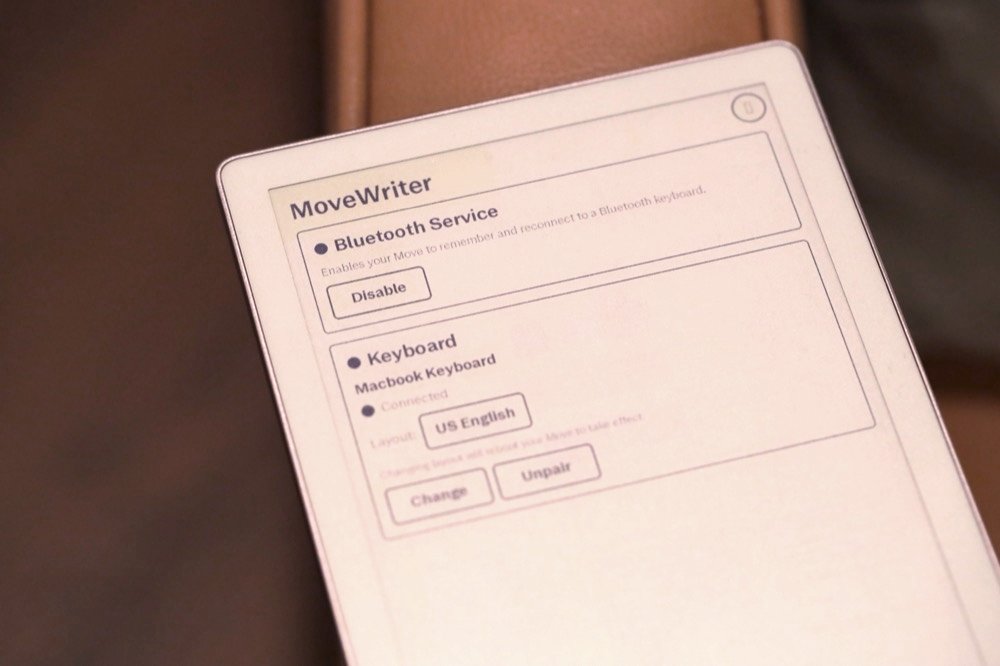
MoveWriter Native (Experimental)
There's a new section in the desktop app called "Native App (Experimental)" with an Install on Move button. Click it, wait a minute or two, and MoveWriter installs itself onto your Move as a real on-device app.
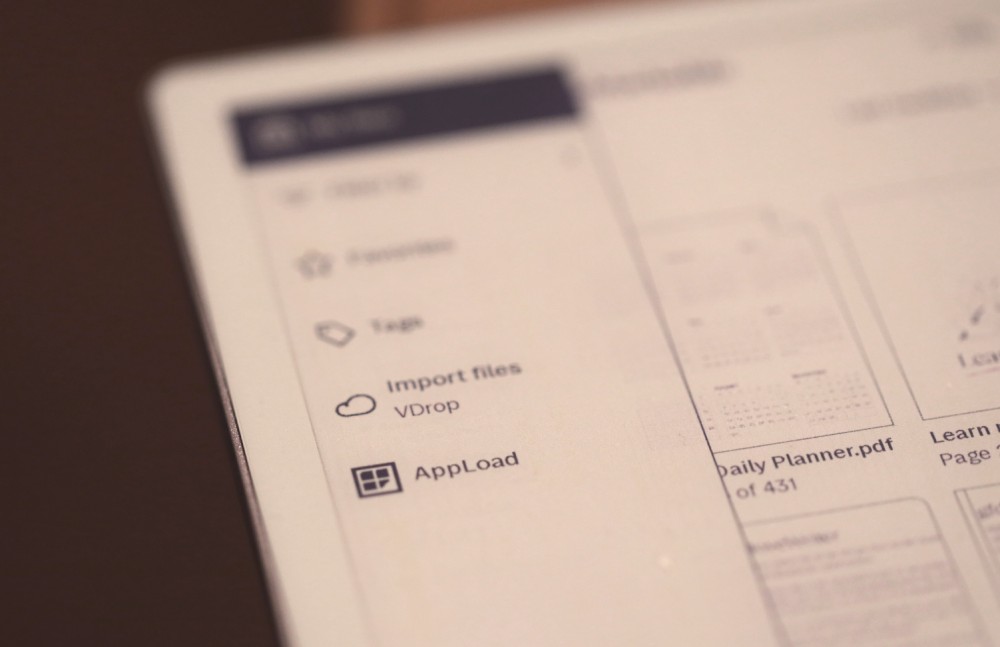
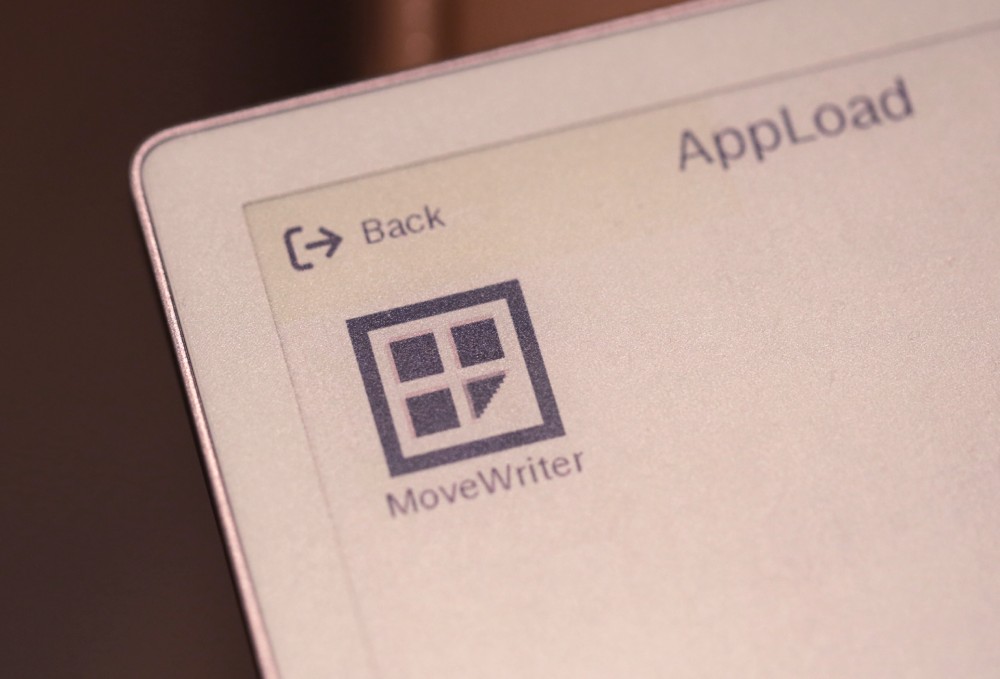
Open it from the hamburger menu (☰) → AppLoad → MoveWriter, and you can:
- Pair, unpair, and switch Bluetooth keyboards
- Change the keyboard layout language
- Enable or disable Bluetooth keyboard support
- See your current keyboard status at a glance
The Native App is also a nice way to see your keyboard connection status without opening the desktop app. If you have a keyboard paired, and MoveWriter Native App says it's disconnected, turn on your keyboard and then re-open the app from AppLoad to refresh the status.
A heads up about Move OS updates
Because the native app runs inside xochitl (reMarkable's UI app) using two open-source projects called XOVI and AppLoad, it's tied to your Move's software version. Right now, MoveWriter Native is tested on Move OS 3.26. When reMarkable pushes a software update, the underlying XOVI and AppLoad packages have to be updated for the new Move software before the MoveWriter native app will work again.
If you plan to install the native app, I recommend to disable automatic updates in your Move's settings before installing.
If a Move OS update does happen and the native app stops working, you can always uninstall the MoveWriter Native app from the desktop app, and then wait for the XOVI and AppLoad updates to catch up before reinstalling. The desktop app' will continue to work regardless of the native app's status, so you won't be left stranded.
Keyboard state syncs across computers
This is a small thing but a nice quality-of-life upgrade. Before 2.0, MoveWriter remembered which keyboard was paired in a config file on whichever computer paired it. So if you paired with your Mac, then later connected via your Windows machine, the Windows app didn't know what was going on.
In 2.0, MoveWriter now reads the current keyboard pairing directly from the Move every time you connect. Your Mac, your Windows laptop, the native app — they all show the same paired keyboard, language, and connection status.
Icelandic keyboard layout
A user specifically asked for Icelandic support, so this update also includes it.
That brings the total to 24 supported layouts: US English, UK English, German, French, Spanish, Italian, Portuguese, Brazilian, Dutch, Swedish, Norwegian, Danish, Finnish, Icelandic, Swiss German, Swiss French, Belgian, Russian, Ukrainian, Czech, Hungarian, Turkish, Greek, and Hebrew.
If your language isn't on this list, send me a note — adding a layout is straightforward if it's supported.
How to update
If you already have MoveWriter installed:
- Download MoveWriter 2.0
- Replace your old version
- Connect to your Move
- (Optional) Click Install on Move if you want the native app
Your existing keyboard pairing and language settings are preserved. You'll just see new sections and the Install on Move button.
Open source roots
MoveWriter remains open source.
Several people have used the open source code to ask Claude or ChatGPT for help in connecting their Move to a specific bluetooth keyboard, which is awesome. I really love how the community is coming together to help each other out with making the reMarkable Move do new things.
The native app is built on top of three open source projects:
- XOVI — the xochitl extension framework that makes loading custom code into the Move's UI possible
- AppLoad — the QML app loader for running third-party apps inside xochitl
- Vellum — the package manager that installs XOVI and AppLoad on the Move
If you're a developer interested in this corner of the reMarkable ecosystem, those three projects are where to start. Thanks to @asivery for XOVI and AppLoad, and the Vellum team for making installation easy.
What's next
The 3D-printed writer deck shell to hold the Move and an Apple Magic Keyboard is still very much on my mind. I'm closer than I was when I last wrote — saving toward a printer, sketching designs with my kids, learning what the iteration loop will look like.
But due to the size of the keyboard, I will have to save up for a pretty expensive 3D printer that supports large objects. So, I'm still very much hoping this will happen, but it's going to take more time to get there.
In the meantime: enjoy the MoveWriter native app. And as always, send me your feedback!
-Vik