
MoveWriter Update: better keyboard connectivity, and the native app self heals
There's now a new version of MoveWriter available to download for Mac, Windows, and the open source repository on Github. What's changed?
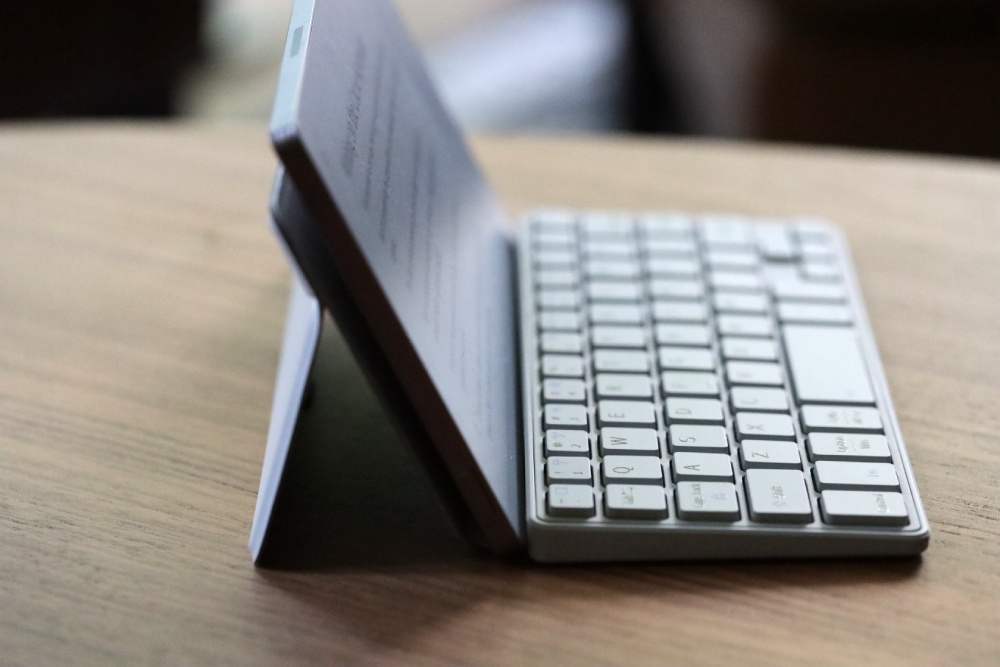
First, there's now better support for a super cute keyboard called Cacoe. A user reached out to me over Reddit and asked for help with their keyboard losing connection - I looked it up and it's a pretty popular keyboard with the writer deck community because it's so tiny.
In fact it's exactly the same width as the reMarkable Move, and it comes with a built in stand. What luck!
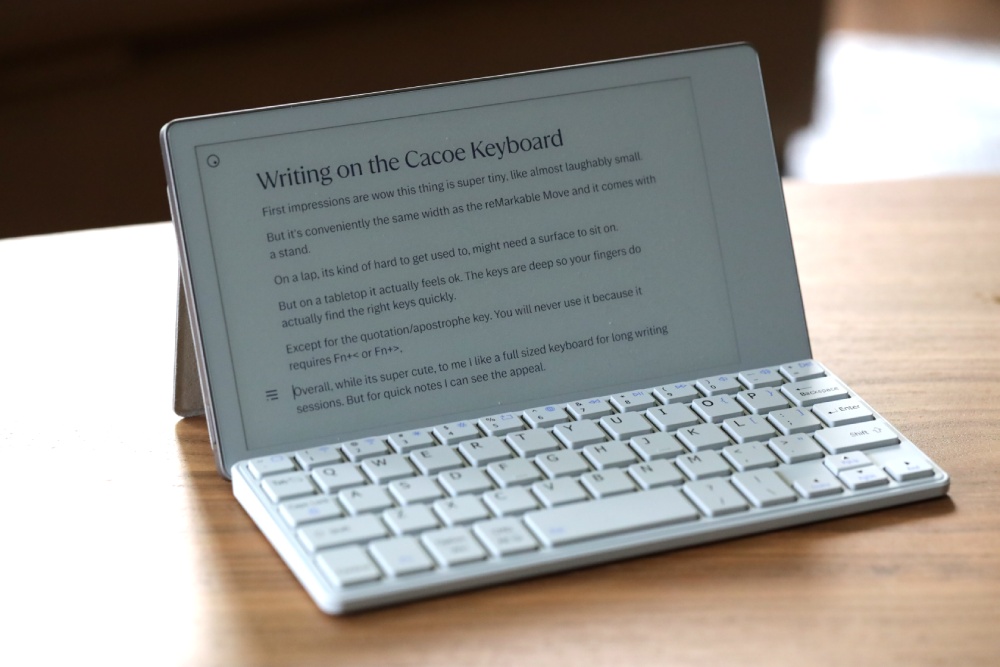
I bought the keyboard and in the process of testing it, I made MoveWriter more reliable not just for this keyboard but others. So win/win.
In my opinion it's an ok keyboard for tabletop writing, with deep keys, but it's so tiny I wouldn't use it for long writing sessions. Also forget about apostrophes/quotes - those keys are moved and require holding the left Fn key.
Still, it's very convenient for quick notes, and the built-in stand makes it a good deal for about $20 or so.

More reliable keyboard reconnection
So what did the Cacoe keyboard uncover during testing?
It turned out to be a bug in how MoveWriter reconnected keyboards that go to sleep to save battery. I rewrote that logic and tested it across a whole drawer of keyboards — both modern Bluetooth LE keyboards and older "classic" Bluetooth ones, including two Apple Magic Keyboards. Reconnection after sleep and after reboots is now solid.
A quick guide to Bluetooth keyboard types
If you're interested, here's some more info about the different types of Bluetooth "flavors," plus the two ways keyboards pair.
Bluetooth Classic (you'll sometimes see it written as BR/EDR) is the original, long-standing flavor. Most full-size keyboards use it — Apple's Magic Keyboards and the BOOX Bluetooth keyboard, for example. Classic keyboards tend to stay connected and reconnect very reliably.
Bluetooth Low Energy (BLE) is the newer, power-sipping flavor, common in compact and travel-friendly keyboards. The trade-off: BLE keyboards sleep aggressively to save battery, so they disconnect when you haven't typed in a while and reconnect when you start again. That sleeping is normal — and making that wake-and-reconnect dance reliable is exactly what this update fixed.
No matter the bluetooth flavor, a keyboard pairs one of two ways:
- "Just Works" — you pick it and it pairs instantly. Most modern keyboards (including current Apple Magic Keyboards) do this.
- PIN / passkey — older keyboards make you type a short code to confirm. MoveWriter detects these and shows the passkey on screen so you can type it in.
The takeaway: MoveWriter handles all four combinations — Classic and BLE, Just Works and PIN. So if you're choosing a keyboard for your Move, you don't need to overthink the protocol. Just know that a tiny BLE travel keyboard will sleep and reconnect (quickly, now), while a big classic keyboard tends to stay put.
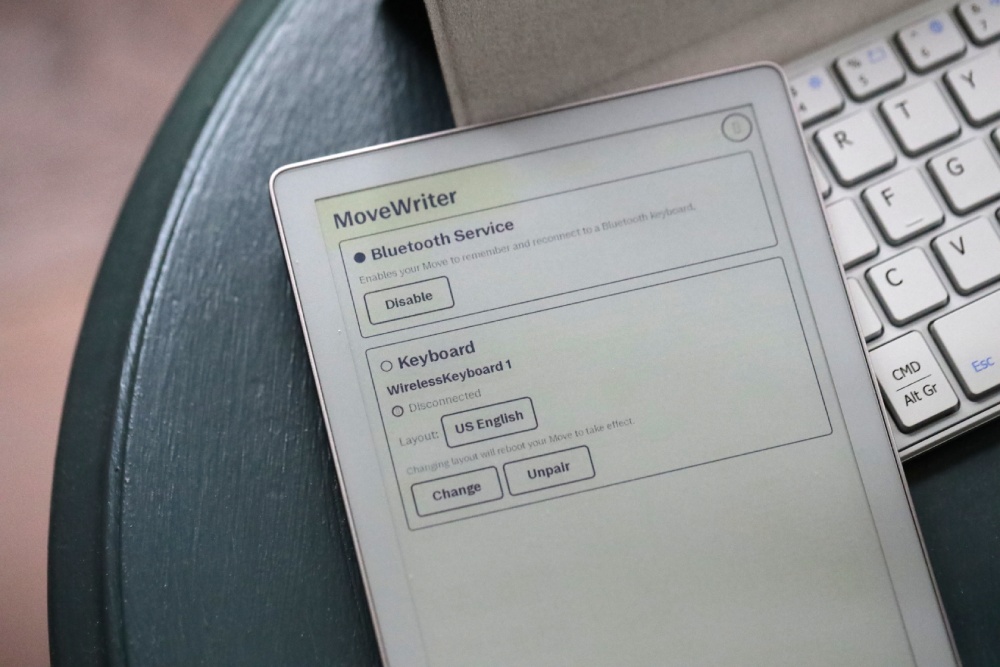
MoveWriter Native App updates
The other part of this update is about the Native App, and it was a big update. But I want to be clear: the Native App is always going to be a little buggy and experimental.
So unless you absolutely need to turn off/on the bluetooth service, or pair a different keyboard - without being near your regular computer - then I don't recommend installing the native app.
For example, here's a fun quirk: if you have MoveWriter native app installed, the Move will sometimes automatically restart, to prevent from deeper crashes.
Eventually I'm sure this will get ironed out, but for now the native app remains experimental.
reMarkable will update your Move whether you like it or not
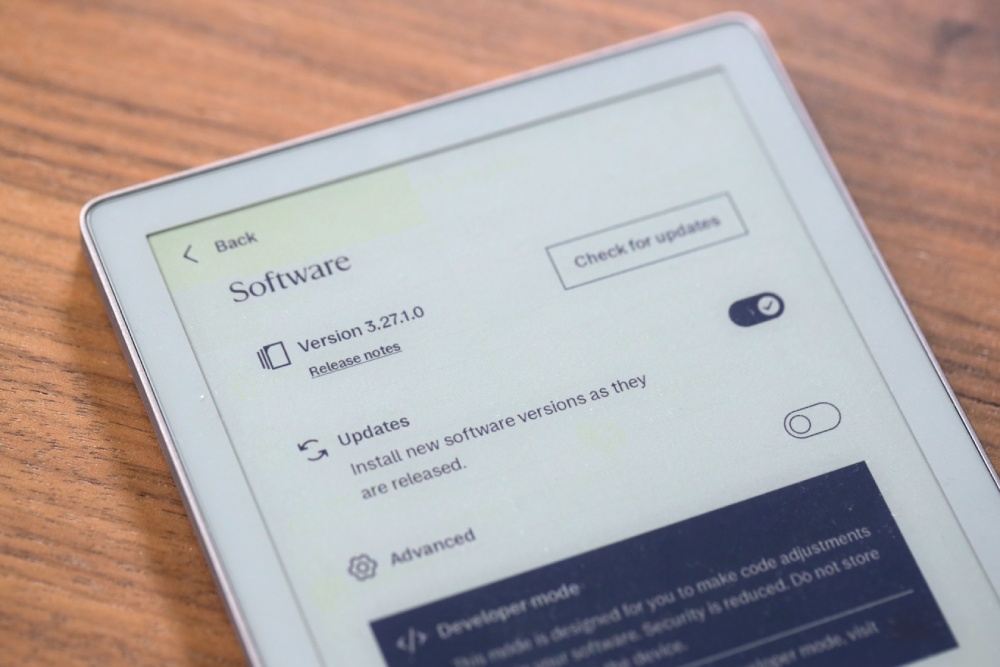
In the MoveWriter 2.0 post, I added a "heads up about Move OS updates." The native app runs inside reMarkable's interface using two open-source projects (XOVI and AppLoad), so it's tied to your Move's software version. My advice was to turn off automatic updates in your Move settings.
Unfortunately even if you do that, reMarkable finds a way to automatically turn on software updates. Maybe it's a Developer Mode quirk you can't get around.
Sure enough, I was just getting to testing some updates while remaining on the 3.26 OS version, and suddenly the OS automatically updated itself. It was strange timing, considering 3.27 has been out for a while, and here I was literally starting a backwards compatibility test.
Anyway, so this needed to get fixed, in a way that didn't require people to download a new version of MoveWriter everytime reMarkable updated the OS.
The fix: MoveWriter now repairs itself
When your Move gets a software update and the native app disappears, the fix is now just one step: open the desktop app and click Install on Move again.
This time, MoveWriter does the whole recovery for you. It detects that the Move is on a new OS, pulls the updated XOVI and AppLoad pieces, rebuilds the interface resources for the new version, and brings the app back — all on its own.
One thing to note, your Move needs to be connected to Wifi, as it downloads and installs the latest dependencies. Because of that, the install process can take a couple minutes.
The native app still depends on XOVI and AppLoad supporting the Move OS. So there could be a week or two after a new Move OS comes out, before the dependencies have been updated.
And the most important part: your Bluetooth keyboard keeps working no matter what. The keyboard service doesn't use XOVI or AppLoad at all — it runs on the stock Move software. So even on a brand-new OS where the native app isn't supported yet, you can still type. The native app is the convenience layer; it being temporarily unavailable never stops you from writing.
So my update to the earlier advice: if you use the native Movewriter app, still turn off auto-updates if you can — but don't stress about it, because it isn't bulletproof (mine updated anyway), and MoveWriter now handles the aftermath gracefully.
Open source
MoveWriter is open source, and the native app stands on the shoulders of three projects:
- XOVI — the extension framework that makes loading custom code into the Move's UI possible
- AppLoad — the app loader for running third-party apps inside the Move's interface
- Vellum — the package manager that installs and updates XOVI and AppLoad on the Move
That last one is the hero of this post: because MoveWriter leans on Vellum to fetch the right versions, the self-healing reinstall picks up new-OS support the moment those projects ship it — without me having to push a new MoveWriter version every single time reMarkable updates. Thanks again to @asivery and the Vellum team.
-Vik